
Upload JPG Images
Click to browse or drag and drop your images here
Supports: JPG, JPEG
Convert your JPG images into professional PDF documents with our JPG to PDF Converter. Transform single or multiple JPG files into organized PDF documents that are perfect for sharing, printing, or archiving.
JPG to PDF Conversion
JPG to PDF conversion is the process of transforming JPEG image files into Portable Document Format (PDF) documents. This conversion allows you to take individual or multiple images and combine them into a single, organized PDF file that can be easily viewed, printed, or shared while maintaining image quality and organization.
How to Use the JPG to PDF Converter
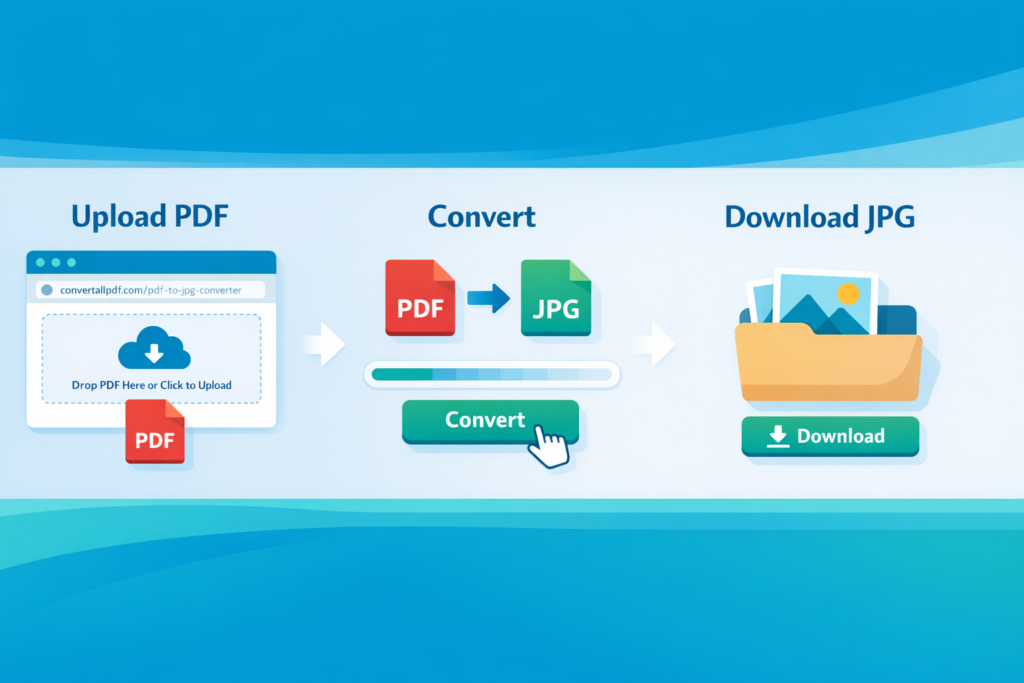
Step 1: Upload Your JPG Images
Begin by uploading your JPG image files. You have multiple options:
- Click the upload area to browse your computer for JPG files
- Drag and drop your JPG files directly onto the upload area
- Select multiple images at once for batch processing
Step 2: Review Image Information
After uploading, the tool displays important information about your images:
- Total number of images selected
- Combined file size of all images
- File format confirmation (JPG)
- Output format confirmation (PDF)
Step 3: Preview Your Images
View all uploaded images in a grid preview that allows you to:
- See thumbnails of all selected images
- Remove any unwanted images before conversion
- Verify the correct images and order
- Check image quality and content
Step 4: Convert to PDF
Click the “Convert to PDF” button to begin the conversion process. The tool will:
- Load and process each image
- Optimize image quality for PDF output
- Combine all images into a single PDF document
- Apply proper image scaling and positioning
Step 5: Download Your PDF
After conversion, click “Download PDF” to save the combined document to your computer. All selected images will be included in the PDF with each image on its own page.
Key Features
Multi-Image Support
Combine multiple JPG images into a single PDF document with each image placed on a separate page in the order they were uploaded.
Batch Processing
Upload and convert multiple images simultaneously, saving time compared to converting images individually.
Image Quality Preservation
Maintain the original quality of your JPG images in the PDF output with minimal compression loss.
Smart Image Scaling
Automatically scale images to fit standard PDF page sizes while maintaining aspect ratios and image integrity.
Image Preview and Management
Review all selected images before conversion and remove any unwanted images with a single click.
Page Orientation Optimization
Automatically determine optimal page orientation (portrait or landscape) based on each image’s dimensions.
Browser-Based Processing
All conversion happens locally in your web browser. Your JPG images never leave your computer or get uploaded to external servers.
Supported Image Features
File Formats
- Standard JPEG/JPG files
- Images from digital cameras, smartphones, or scanners
- Various compression levels and quality settings
Image Specifications
- Any resolution and dimensions
- Color and grayscale images
- Progressive JPEGs
- Baseline JPEGs
Content Types
- Photographs and pictures
- Documents and scanned pages
- Screenshots and captures
- Artwork and designs
- Charts and graphs
Quality Considerations
- Original image quality is preserved
- Minimal compression applied during conversion
- Color profiles are maintained
- Resolution is optimized for PDF viewing and printing
Common Use Cases
Document Scanning and Archiving
Convert scanned documents, receipts, or paperwork from JPG format into organized PDF files for professional archiving and storage.
Photo Album Creation
Combine personal or professional photographs into PDF photo albums or portfolios for sharing, printing, or digital distribution.
Presentation Preparation
Transform image-based slides, charts, or visual materials into PDF format for presentations, reports, or meetings.
Educational Materials
Convert educational images, diagrams, or teaching materials into PDF format for student distribution or classroom use.
Business Documentation
Transform business cards, flyers, brochures, or marketing images into PDF format for professional documentation and sharing.
Portfolio Compilation
Combine artwork, design samples, or creative work into PDF portfolios for client presentation, job applications, or online showcasing.
Report Generation
Convert data visualization images, charts, or graphs into PDF format for inclusion in reports, analysis documents, or research papers.
Personal Organization
Organize personal documents, certificates, or important papers by converting JPG scans into organized PDF files.
Conversion Quality and Output
PDF Specifications
- Format: Standard PDF 1.7
- Page Size: A4 (210 × 297 mm) default, adapts to image dimensions
- Orientation: Auto-detected based on image aspect ratio
- Resolution: Maintains original image quality
- Compression: Optimized for file size while preserving quality
Image Placement
- Each JPG image becomes a separate PDF page
- Images are centered on each page
- Aspect ratios are preserved
- Images are scaled to fit page margins
- White space is minimized while maintaining readability
Output Organization
- Images appear in the order they were uploaded
- Page numbers are automatically added
- File naming is preserved for reference
- Multiple images create multi-page PDFs
Best Practices for Optimal Results
Prepare Your Images
- Ensure images are clear and properly oriented
- Check image resolutions (recommended 150-300 DPI for printing)
- Crop unnecessary borders or whitespace
- Verify color accuracy if important for final use
Organize Before Uploading
- Rename files in the order you want them to appear
- Group related images together
- Remove duplicates or unnecessary images
- Consider